Best Clipboard Manager for Mac Developers (2026): Compared
Comparing ClipBear, Paste, Maccy, and Raycast clipboard features for developers. Which macOS clipboard manager handles JWTs, JSON, and developer workflows best?
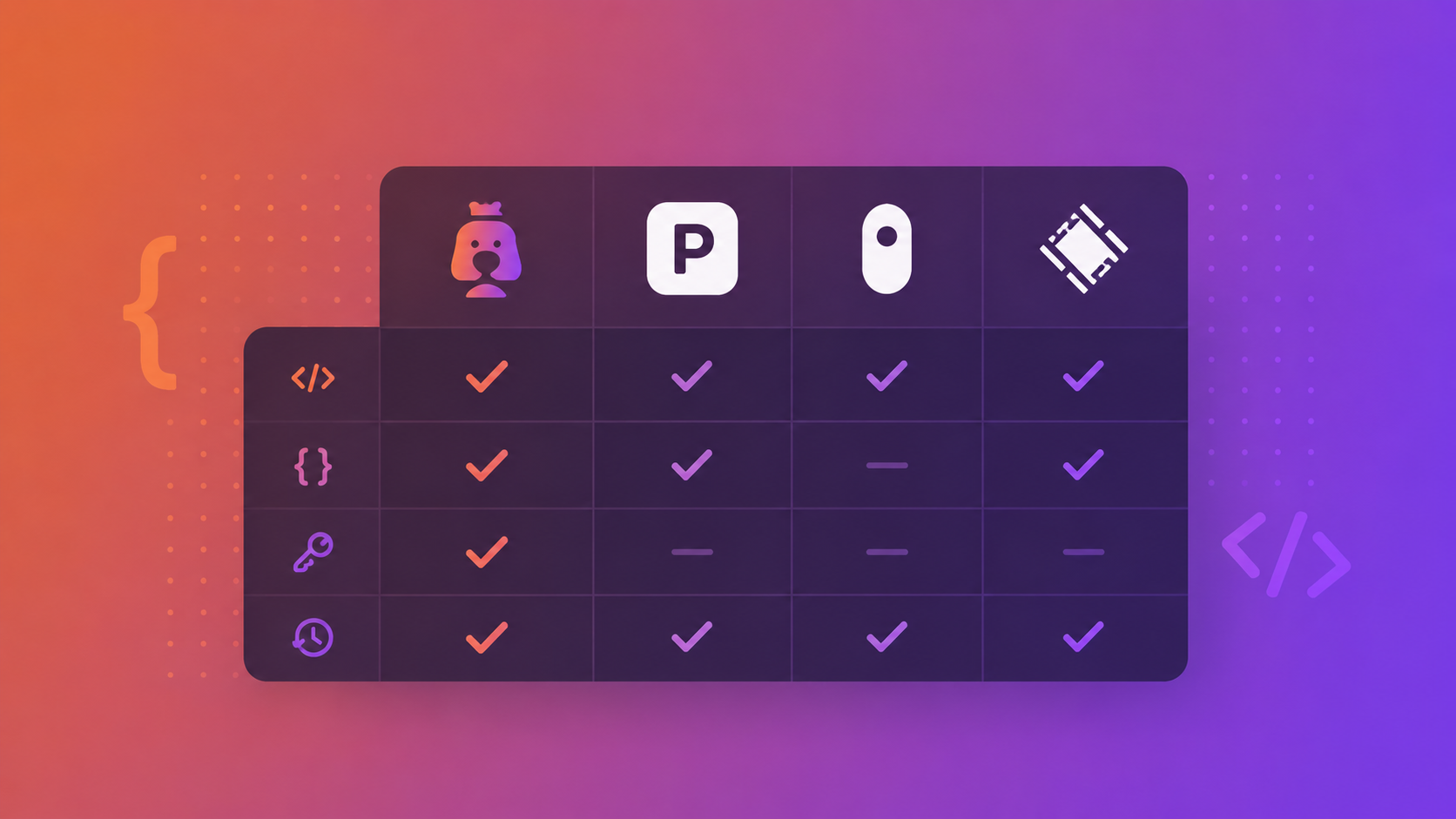
If you're a developer on macOS, you've probably tried at least two clipboard managers. Maybe you started with Maccy because it's free, moved to Paste for the visual timeline, or you're already using Raycast and figured its built-in clipboard was good enough.
But here's the question most comparisons skip: does your clipboard manager actually understand what you're copying? Not just text vs. image — but whether that 24-character hex string is a MongoDB ObjectID, whether that blob of base64 is a JWT, or whether that five-field string is a cron expression.
That's where the landscape has changed in 2026. This comparison looks at four popular options through the lens of what developers actually need.
The Contenders
Maccy — The Free, No-Frills Option
Maccy is open source, lightweight, and does exactly one thing: clipboard history. It's a menu bar app that stores plain text and images, lets you search, and stays out of your way.
What developers get: Fast access to clipboard history with search. Keyboard shortcuts. That's it — and for some developers, that's enough.
What's missing: No content detection, no transformations, no smart filtering by content type. If you copy a JWT, Maccy sees a long string. If you copy a MongoDB ObjectID, it's just 24 characters of hex. There's no encryption and no rich format preservation.
Price: Free and open source.
Best for: Developers who want the absolute minimum clipboard manager and don't mind switching to browser tabs for JWT decoding, timestamp conversion, or JSON formatting.
Paste — The Visual Timeline
Paste takes a different approach with a visual, iCloud-synced clipboard history. It's polished, supports rich content well, and the timeline UI makes it easy to find things visually.
What developers get: A beautiful interface, iCloud sync across devices, unlimited history, and good support for images and rich text. Paste is excellent at what it does — storing and retrieving clipboard history with a visual emphasis.
What's missing: Paste doesn't detect or transform developer content. There's no JWT decoding, no MongoDB ObjectID timestamp extraction, no JSON formatting, no cron expression parsing. It's a general-purpose clipboard manager that happens to look great.
The privacy question: Paste syncs through iCloud. For personal use that's convenient. For developers copying API keys, tokens, and database credentials throughout the day, cloud-synced clipboard history is worth thinking about carefully. Paste does support excluding apps, but your history still lives in iCloud.
Price: $3.99/month or $29.99/year (subscription via App Store).
Best for: Developers who prioritize visual browsing and cross-device sync, and who are comfortable with iCloud-based storage for their clipboard data.
Raycast — The Productivity Suite with Clipboard Built In
Raycast is a launcher, not a clipboard manager — but it includes clipboard history as one of many built-in features. If you're already using Raycast as your Spotlight replacement, you get clipboard history on the free tier (30 days of history; unlimited requires Pro).
What developers get: Clipboard history integrated into a tool you're probably already using. Search, pinning, and the convenience of not installing another app. Raycast also has a snippet system and extensions ecosystem.
What's missing: Raycast's clipboard is a feature within a larger app, not the main event. It doesn't do content-aware detection — no JWT decoding, no MongoDB timestamp extraction, no automatic content type filtering. It's solid clipboard history, but it treats everything as plain text or images.
The trade-off: Using Raycast for clipboard means depending on Raycast for everything. If you ever want to switch launchers, your clipboard workflow goes with it. There's also the resource consideration — Raycast is a full productivity suite running alongside your development tools.
Price: Free tier includes clipboard history. Pro is $8/month.
Best for: Developers already committed to the Raycast ecosystem who want "good enough" clipboard history without another app.
ClipBear — The Developer-First Clipboard Manager
ClipBear is built specifically around the idea that developers copy different things than most people, and their clipboard manager should understand that.
What developers get: Automatic detection and transformation for 13 content types. Copy a JWT and decode the payload to formatted JSON without opening jwt.io. Copy a MongoDB ObjectID and see the embedded timestamp inline. Copy a cron expression like 0 */6 * * 1-5 and see "Every 6h, Mon–Fri" below it. Copy an IPv4 address and convert it to CIDR /24 notation in one click. Copy messy JSON and format it with key quoting or unquoting. Copy an ISO 8601 datetime and convert to Unix timestamp. Copy an image and extract text via on-device OCR (Apple Vision).
All of this happens locally. The AI grammar correction uses Apple Intelligence on-device. The OCR uses Apple's Vision framework. Clipboard history is encrypted with AES-256-GCM using a key derived from your machine's hardware UUID. No cloud sync, no account, no email required.
What's missing: No cross-device sync (by design — everything stays local). No visual timeline view like Paste. The developer-focused features require macOS Sonoma or later, and AI grammar correction requires Apple Silicon with macOS 15.1+.
Price: $15/year after a 7-day free trial. Two devices per license.
Best for: Developers who copy JWTs, ObjectIDs, JSON, timestamps, IPs, and cron expressions throughout their day and are tired of context-switching to decode, format, or convert them.
Feature Comparison
| Feature | Maccy | Paste | Raycast | ClipBear |
|---|---|---|---|---|
| Clipboard history | Yes | Yes | Yes | Yes |
| Search | Yes | Yes | Yes | Yes |
| Pin items | Yes | Yes | Yes | Yes (Cmd+1–5) |
| Image support | Basic | Yes | Yes | Yes + OCR + compression |
| Content type detection | No | No | No | 13 types |
| JWT decoding | No | No | No | Yes |
| MongoDB ID → timestamp | No | No | No | Yes |
| JSON formatting | No | No | No | Yes |
| Cron → human readable | No | No | No | Yes |
| IP → CIDR conversion | No | No | No | Yes |
| UUID version + timestamp | No | No | No | Yes |
| URL → QR code | No | No | No | Yes |
| AI grammar correction | No | No | No | Yes (on-device) |
| Encrypted history | No | iCloud encryption | No | AES-256-GCM (local) |
| Cloud sync | No | iCloud | Raycast sync | No (local only) |
| Price | Free | $29.99/yr | Free / $96/yr | $15/yr |
The Bottom Line
If you just need clipboard history and don't want to pay anything, Maccy does the job. If you want visual browsing and cross-device sync, Paste is polished. If you're already in the Raycast ecosystem, its built-in clipboard is convenient.
But if you spend your day copying JWTs, MongoDB ObjectIDs, JSON payloads, cron expressions, and IP addresses — and you're tired of opening browser tabs to decode, format, and convert them — ClipBear is the only clipboard manager that actually understands what you're working with.
Try ClipBear free for 7 days at clipbear.app.